Campaigns
Send a WhatsApp or email message to hundreds or thousands of contacts at once.
A campaign lets you send one message to many contacts at the same time. Use it for promotions, announcements, follow-ups, or any situation where you want to reach your entire list — via WhatsApp or email.
Create a Campaign
Step-by-step guide to sending your first campaign.
Audience Filters
Choose exactly who gets your message.
Scheduling & Batching
Send now or schedule for later. Split into batches to stay safe.
Campaign Reports
See who got the message, who read it, and who replied.
How campaigns work
- Click + New Campaign and pick your channel
- Pick a template (your message)
- Choose your audience (who gets it)
- Set a schedule (now or later)
- Hit Send — SalesByte handles the rest
Messages are sent one by one in the background. You can track delivery in real time from the campaign detail page.
Campaign channels
| Channel | Best for |
|---|---|
| Business WhatsApp | Official API, approved templates, high volume |
| Personal WhatsApp | Quick sends from your own number, no approval needed |
| Newsletter-style sends to contacts with email addresses |
Campaign types
| Type | Best for |
|---|---|
| Contact campaign | Message individual contacts from your list |
| Group campaign | Send to an entire WhatsApp group (Personal WhatsApp only) |
| Recurring campaign | Send the same campaign on a schedule (daily, weekly, monthly) |
| Poll campaign | Send a poll and collect votes (Personal WhatsApp only) |
| Email campaign | Send an email to contacts who have an email address |
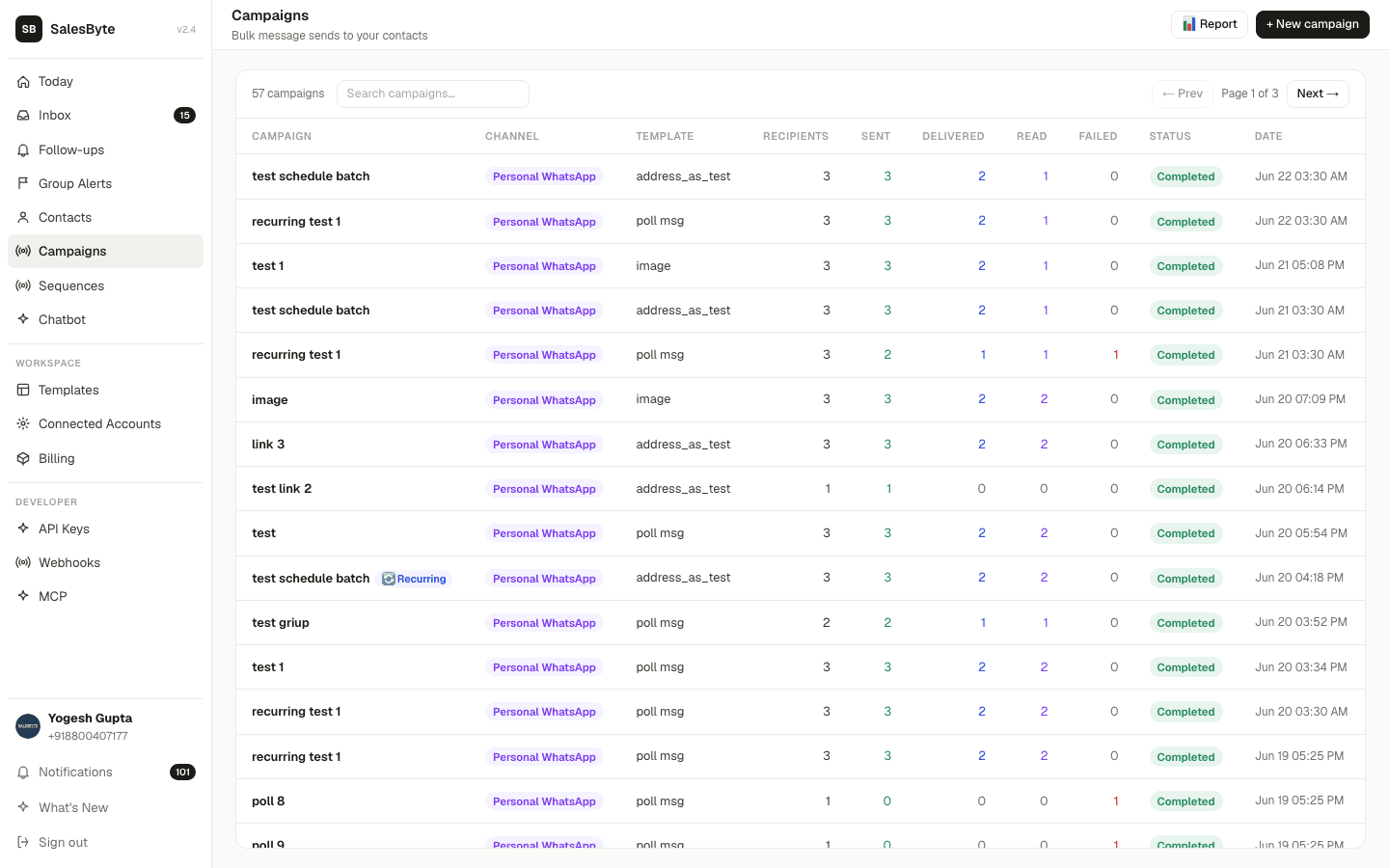
The campaign list
All campaigns — WhatsApp and email — appear together in the Campaigns list. Use the channel pills at the top (All · WhatsApp · Email) to filter by channel. Each row shows the channel, status, and delivery stats at a glance.