Contacts
Manage all your leads and customers in one place.
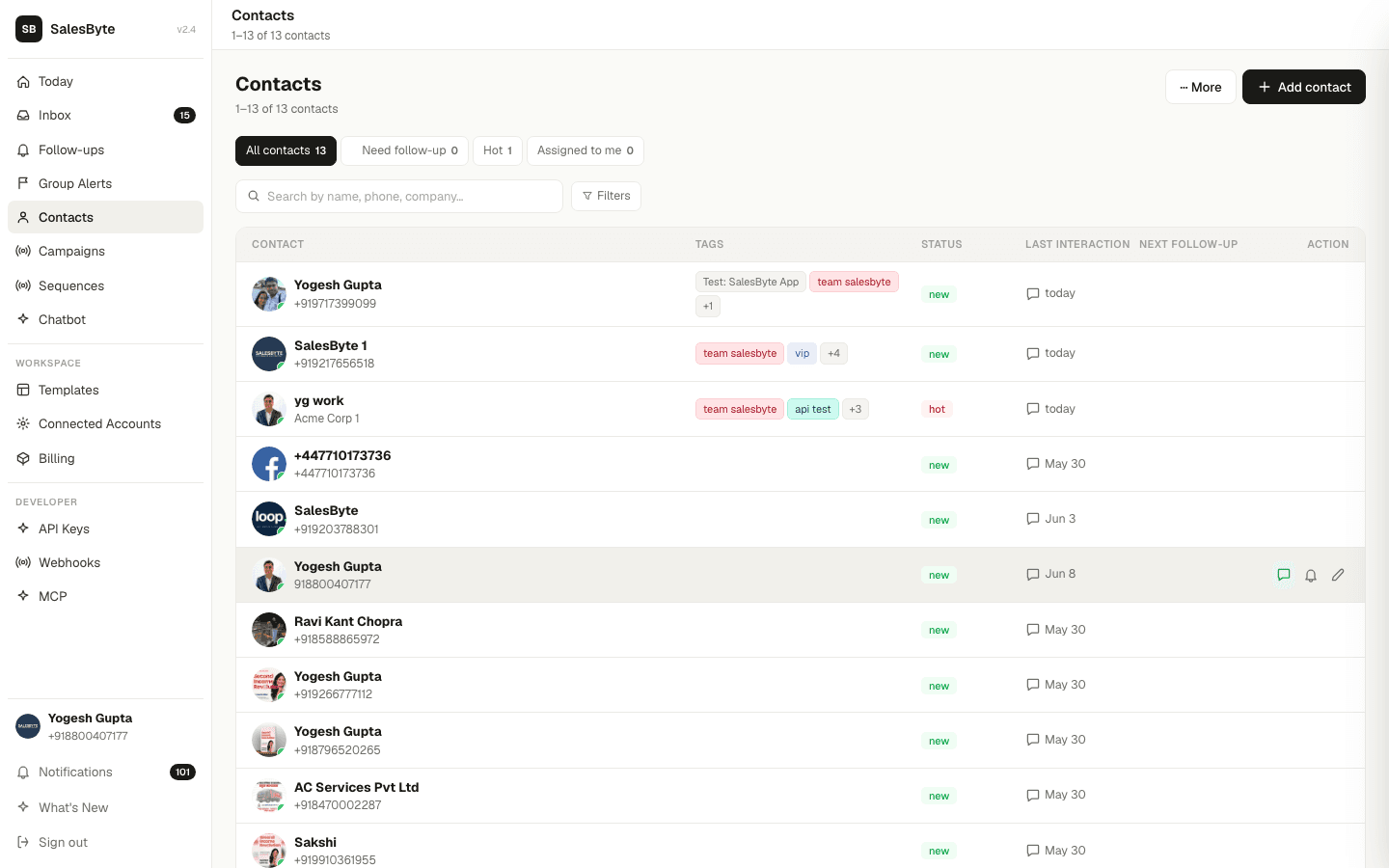
Your contacts are at the heart of SalesByte. Every conversation, follow-up, and campaign is tied to a contact.
Add & Import
Add contacts one by one or import in bulk.
Custom Fields
Add your own fields to track any data specific to your business.
Tags & Segments
Organise contacts into groups for easy filtering.
Lifecycle Stages
Track where each contact is in your sales journey.
What you can store
For each contact you can save:
- Name, phone number, and/or email
- Company name
- Tags (e.g. "Hot Lead", "Existing Customer")
- Lifecycle stage (Lead → Prospect → Customer)
- Status (Hot, Warm, Active, Cold, New)
- How you'd like to greet them (e.g. "Rahul Ji")
- Birthday and anniversary for auto-greetings
- Notes, tasks, and follow-ups
- Custom fields — any extra data your business needs (see below)
Phone is now optional. You can create email-only contacts for newsletter subscribers or any lead you only have an email for. At least one of phone or email must be provided.
Contact health at a glance
The top of the Contacts page shows 5 stats cards so you can spot problems instantly:
| Card | What it means |
|---|---|
| Total contacts | Everyone in your workspace |
| New (last 30 days) | Contacts added this month |
| Never contacted | People you've never sent a message to |
| Gone cold | No interaction in the last 30 days |
| Hot leads | Contacts with Hot status |
Click "Never contacted" or "Gone cold" to filter the list to just those contacts.
Find any contact fast
Use the search bar at the top of the Contacts page to find anyone by name, phone number, email, or company. You can also filter by tag, status, lifecycle stage, source, date added, or who the contact is assigned to — including custom field values.
Column picker & table layout
Click the Columns button (grid icon, top-right of the table) to choose which columns appear. Available columns include Tags, Status, Last Interaction, Email, Company, Stage, Lifecycle, Source, and any custom fields you've defined. Your visible columns and column widths are saved per account — every teammate can have their own layout.
When many columns are visible, the table scrolls horizontally so no column gets cut off. Drag the right edge of any column header to resize it to your preferred width.
Quick actions on each row
Every row has action icons at the far left, always visible no matter how far you've scrolled:
| Icon | Action | When shown |
|---|---|---|
| ✓ Check | Mark the next follow-up as done | Only when a follow-up exists |
| 🔔 Bell | Add or schedule a reminder | Always |
| ✏️ Pencil | Edit contact details | Always |
| ⏱ Snooze | Snooze the follow-up | Only when a follow-up exists |
Click the contact's name or avatar to open the full contact detail page.
Bulk actions
Select multiple contacts using the checkboxes on the left. A floating action bar appears at the bottom with options to:
- Change status for all selected contacts
- Add or remove tags in bulk
- Assign to a team member
- Save as segment — name and save the selection for use in campaigns
- Unsubscribe / Re-subscribe from campaigns
- Archive contacts you no longer need
Bulk edit (spreadsheet view)
For power users who need to edit many contacts at once: go to ⋯ More → Bulk edit (spreadsheet). This opens a spreadsheet-style grid where you can click any cell to edit it inline — up to 2,000 contacts at a time.
Custom fields
Add any extra information your business needs — Customer Type, City, Budget, Lead Score, and more. Go to ⋯ More → Custom fields to create and manage your workspace's field definitions.