Follow-ups
Never forget to follow up with a lead again.
Follow-ups are reminders to reach back out to a contact. Set one and SalesByte reminds you at the right time.
Set a follow-up
From the inbox: Open any conversation → click Follow-up in the right panel → pick a date and time → save.
From the contact page: Open a contact → scroll to the Follow-ups section → click Add Follow-up.
From the Follow-up Center: Go to Follow-ups → click + New Follow-up → search for the contact.
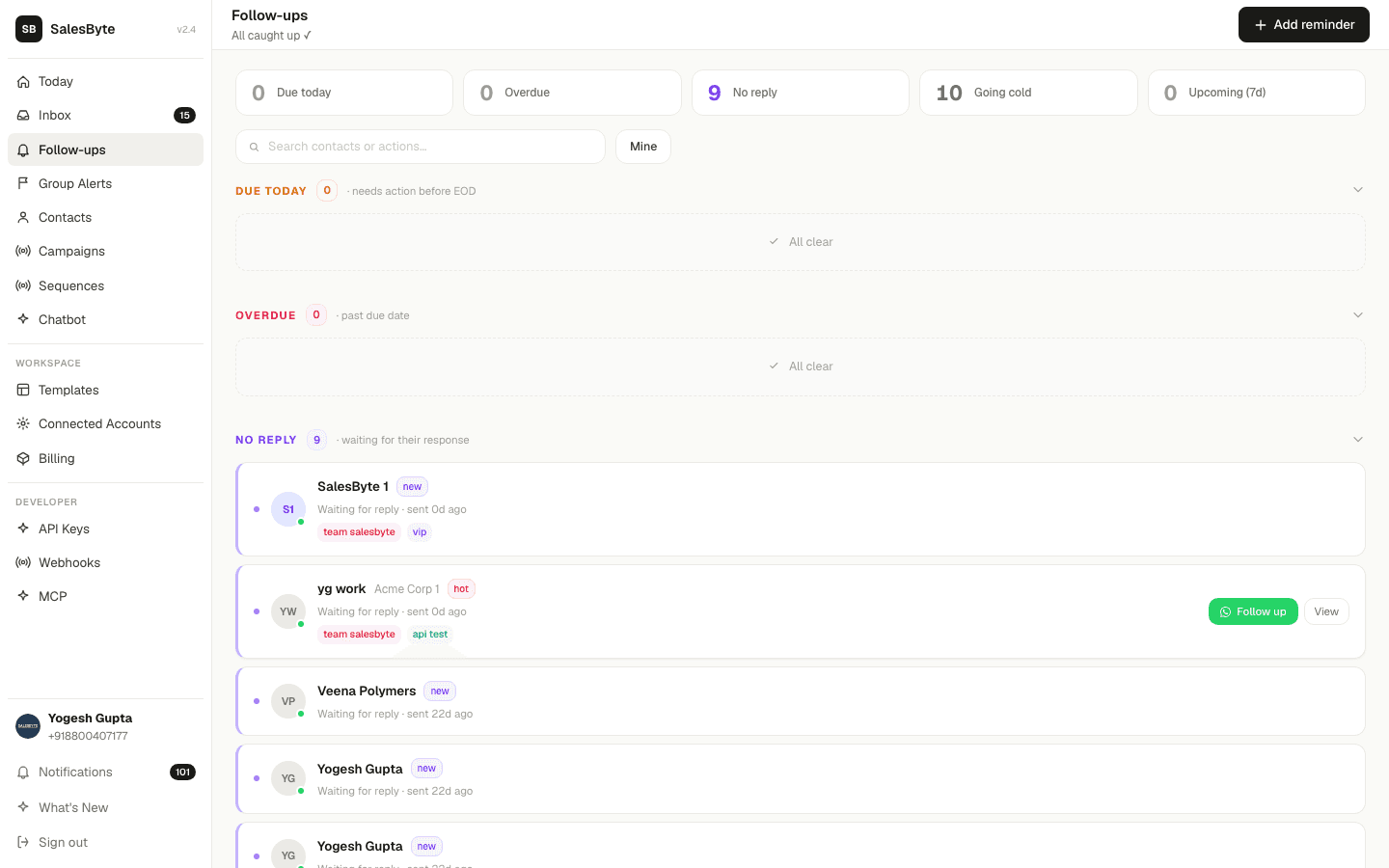
The Follow-up Center
The Follow-up Center groups all your pending follow-ups into sections so you know exactly what to work on:
| Section | What's in it |
|---|---|
| Overdue | Past their due date — tackle these first |
| Today | Due today — your priority list |
| No Reply | You sent a message but they haven't replied in 3+ days |
| Going Cold | No contact in the last 7+ days |
| Upcoming | Due in the next 7 days |
| Done Recently | Completed in the last 7 days |
Mark as done
Click the ✓ Done button next to any follow-up once you've reached out. It moves to "Done Recently" and clears your list.
Snooze
Not ready to follow up yet? Click Snooze → pick how long (1 hour, tomorrow, next week). The follow-up disappears and comes back at the right time.
Notifications
SalesByte sends you a WhatsApp message when a follow-up is due — so you never miss it even if you're not logged into the app.
You can control notification settings in Settings → Notifications.